Planning to move a website or online store from one platform to another? Whether you use WordPress, WooCommerce, Shopify, Magento, CloudCart, PrestaShop, OpenCart, Seliton or a custom system, we plan the entire migration process to a new custom platform.
The transfer can include content, products, categories, images, customer accounts, orders and key integrations, depending on the capabilities of the current system and the specific scope of the project.
The goal is to build a new solution that preserves the assets that matter to the business and creates a better foundation for future growth.
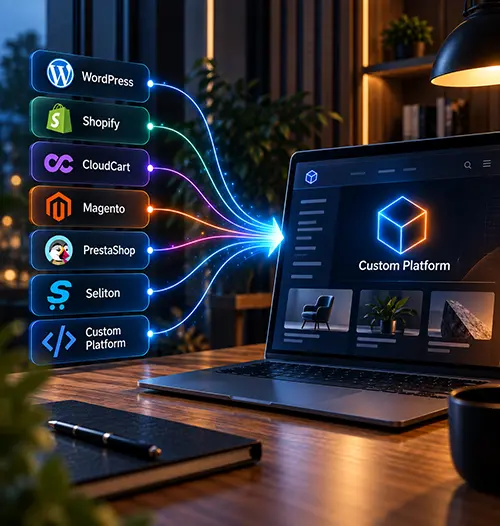
Migration
Which platform do you want to migrate from?
Migrating from one platform to another has different specifics depending on the technology, data structure and how the current website or online store is built.
Choose the platform you currently use to see how the move to a custom solution can be planned, what data can be transferred and which technical, functional and SEO elements need to be taken into account.
Migration from WordPress
Migration from Magento

Migration from Shopify

Migration from OpenCart

Migration from Seliton
Migration from WooCommerce
Migration from CloudCart
Migration from Custom
Don't see your platform?
We also work on migrations from other ready-made or custom systems. Send us the address of the current site and we will make an initial assessment of the transfer options.
Action
We keep what matters. We rethink the limitations.
Moving from one platform to another does not mean simply copying the old website or online store onto a new technology.
Before development, we analyze the current system, data structure, features, integrations and real business processes. We determine what should be kept, what makes sense to improve and which limitations should not be carried over to the new platform.
Depending on the project, the migration can include transferring products, categories, content, images, customer accounts, order history and other data, as well as restoring or rebuilding the necessary integrations and features.
This way, changing platforms is an opportunity to build a better architecture for the next stage of business growth.
Choice
When does it make sense to move to a custom platform?
Off-the-shelf platforms can be a suitable solution at a certain stage of business growth. As products, orders, users, integrations or internal processes increase, however, the standard architecture sometimes starts to create limitations.
Changing platforms makes sense when the current solution no longer allows the business to grow in the way it needs. The reason may be a need for specific features, more complex integrations, automation, working with larger data volumes or a need for more freedom in future upgrades.
Functional limitations
The necessary processes or features are difficult to implement or maintain on the current platform.
Complex integrations
The business needs deeper connectivity with ERP, CRM, warehouse systems, payment providers, couriers, external APIs or in-house tools.
Scaling limitations
Growth in products, users, orders or traffic starts to require a different architecture and more control over the system.
Dependence on multiple extensions
Core processes depend on a combination of plugins, modules or external apps, which complicates development and maintenance.
Specific business processes
The needs of the business no longer fit the standard logic of the platform and the system must be adapted to the real way of working.

Outdated custom system
The existing proprietary solution is hard to maintain, develop or integrate with new systems.
The process
How does moving from one platform to another work?
We do not transfer everything at once directly into the live environment. The process is planned in advance and goes through separate stages of analysis, development, test migration and checks before the final launch.
What can be moved
What can be transferred during the migration?
When moving a website or online store to a new platform, the data scope is determined individually. It depends on how the current system is built, access to the database or API, and the structure of the new solution.
Depending on the project, the following can be transferred: products and categories; images and files; pages and blog content; customer accounts; order history; product attributes and variants; SEO metadata; URL structure and other information needed for the new system to work.
Not every platform stores data in the same way. That is why, before the migration, we determine which data can be transferred automatically, which requires transformation and which is better rebuilt from scratch.
Change
Considering a platform change?
If your current website, online store or system already limits business growth, show us how it works today and what you want to change.
We will review the current solution, data, features and integrations and discuss how the move to a new custom platform can be planned.
The goal is to determine what should be kept, what makes sense to improve and how to move to the new system in a controlled way.
Contacts
Get in touch with us